How to create an Inventory On Hold Report
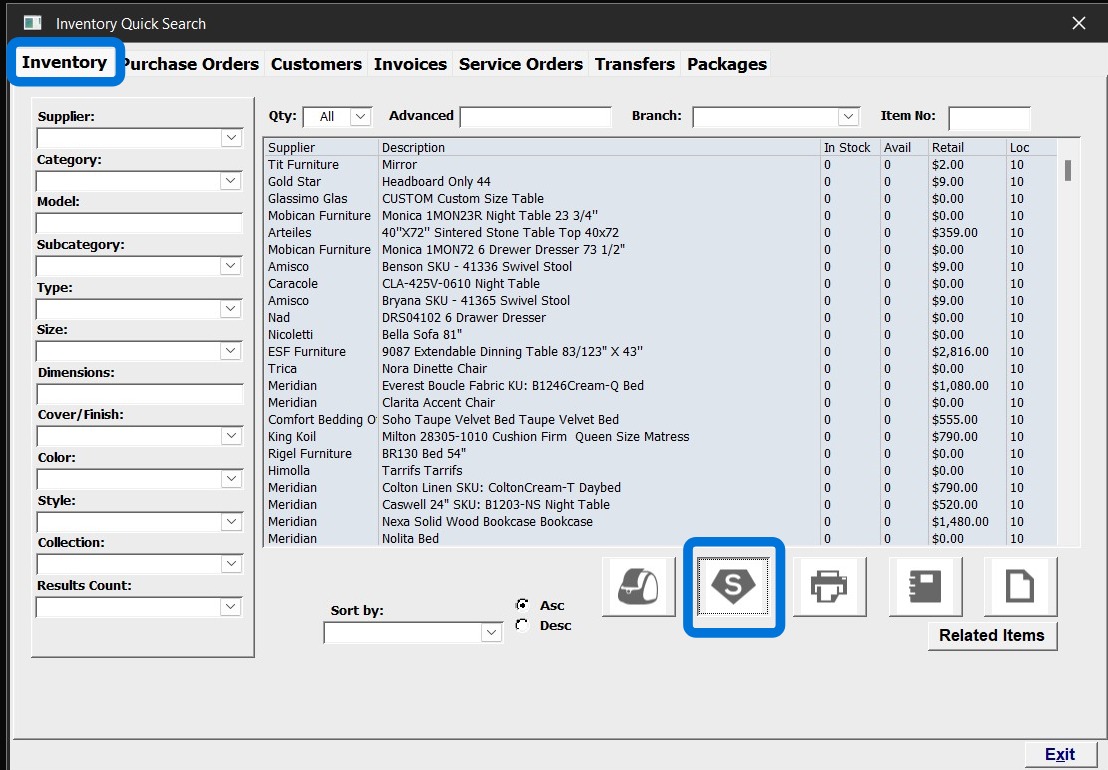
1. Open Quick search Click on Inventory tab
Click on Super Search
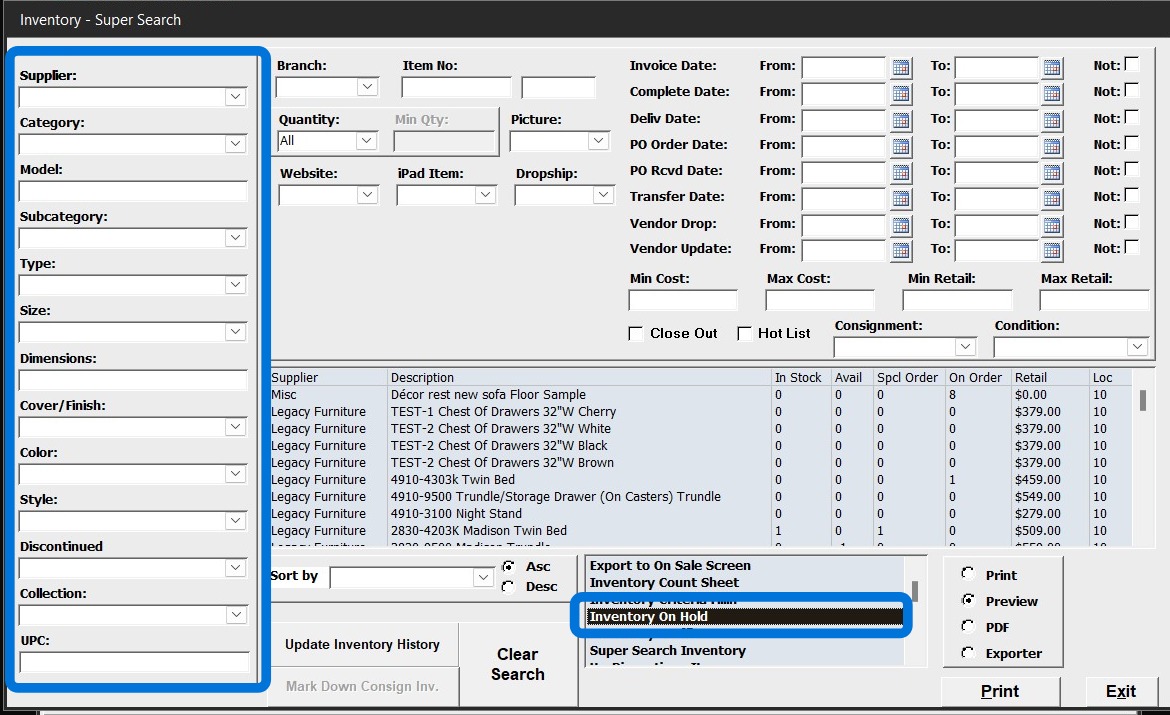
2. Select from the On Hold Report from the dropdown list. Select Preview or print. Then select Print to run the report.
If you need to run a specific report, you can narrow down the search by Vendor, model, category information, and branch as well.