This guide provides a walkthrough for undelivering items on an invoice that may have been delivered by mistake.
Tip: Have the invoice number on hand.
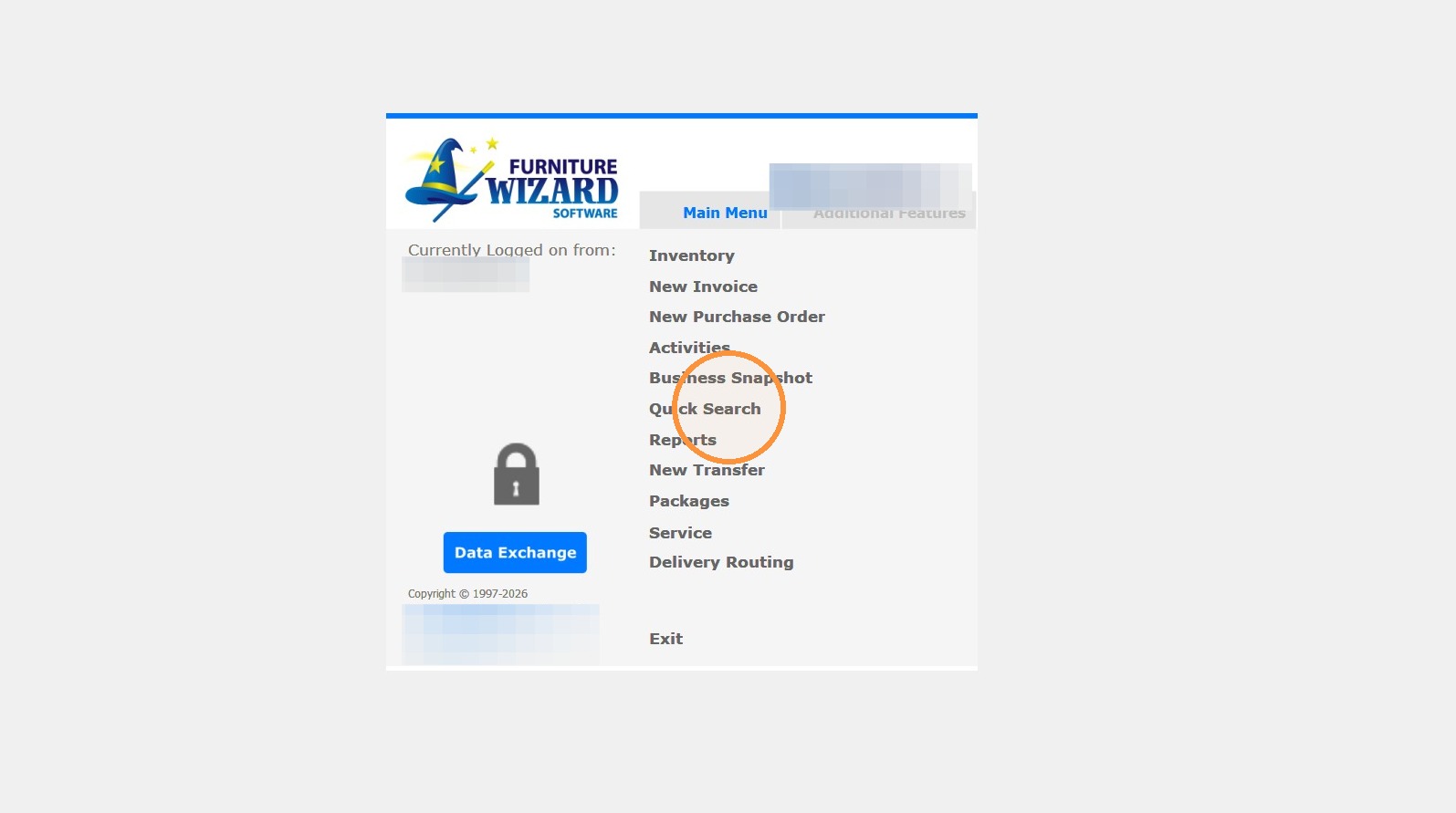
1. Select "Quick Search"
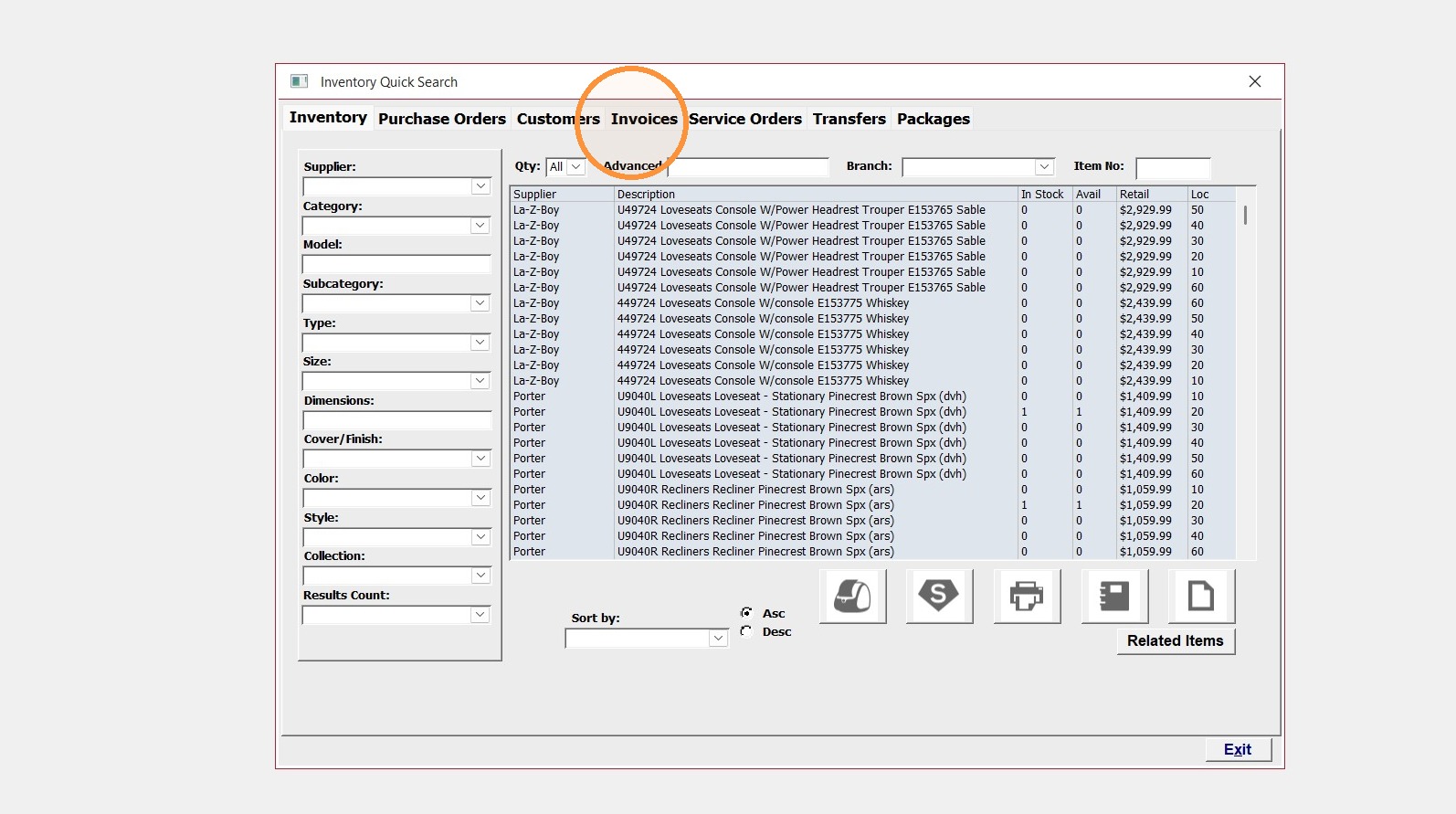
2. Click the "Invoices Tab"
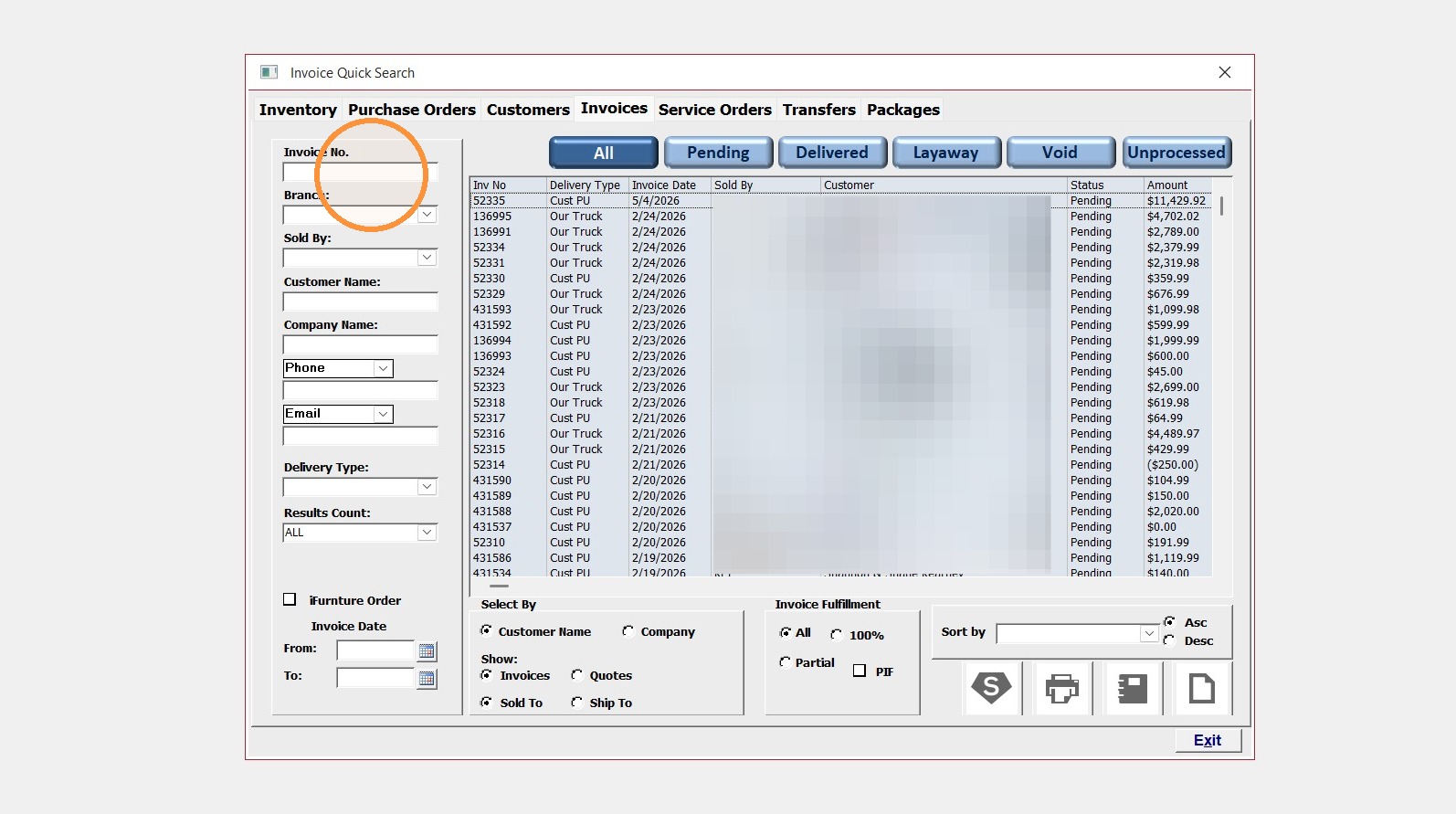
3. Click into the "Invoice No." box and enter the number or select from the list.
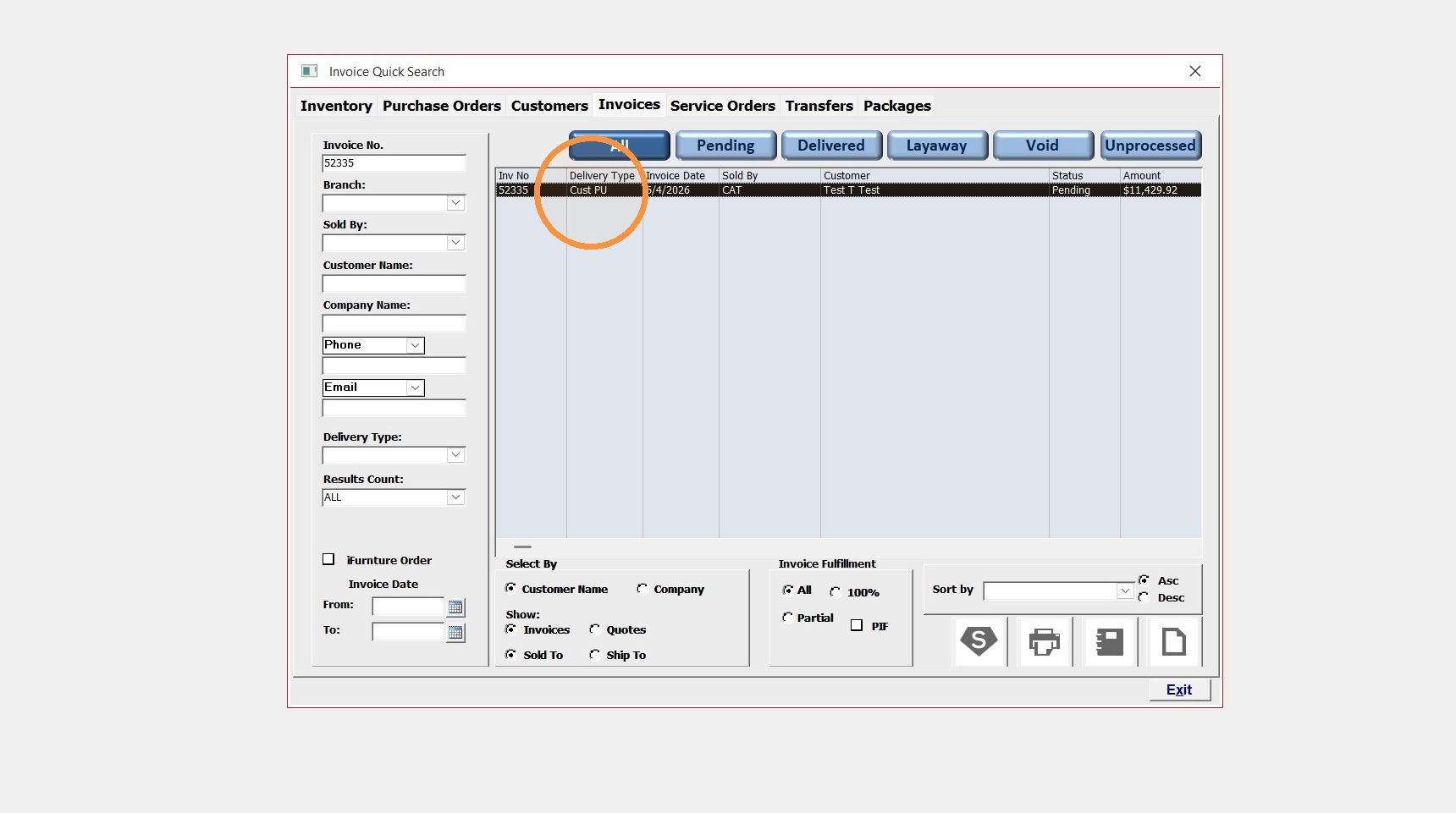
4. Double-click the invoice record to open it
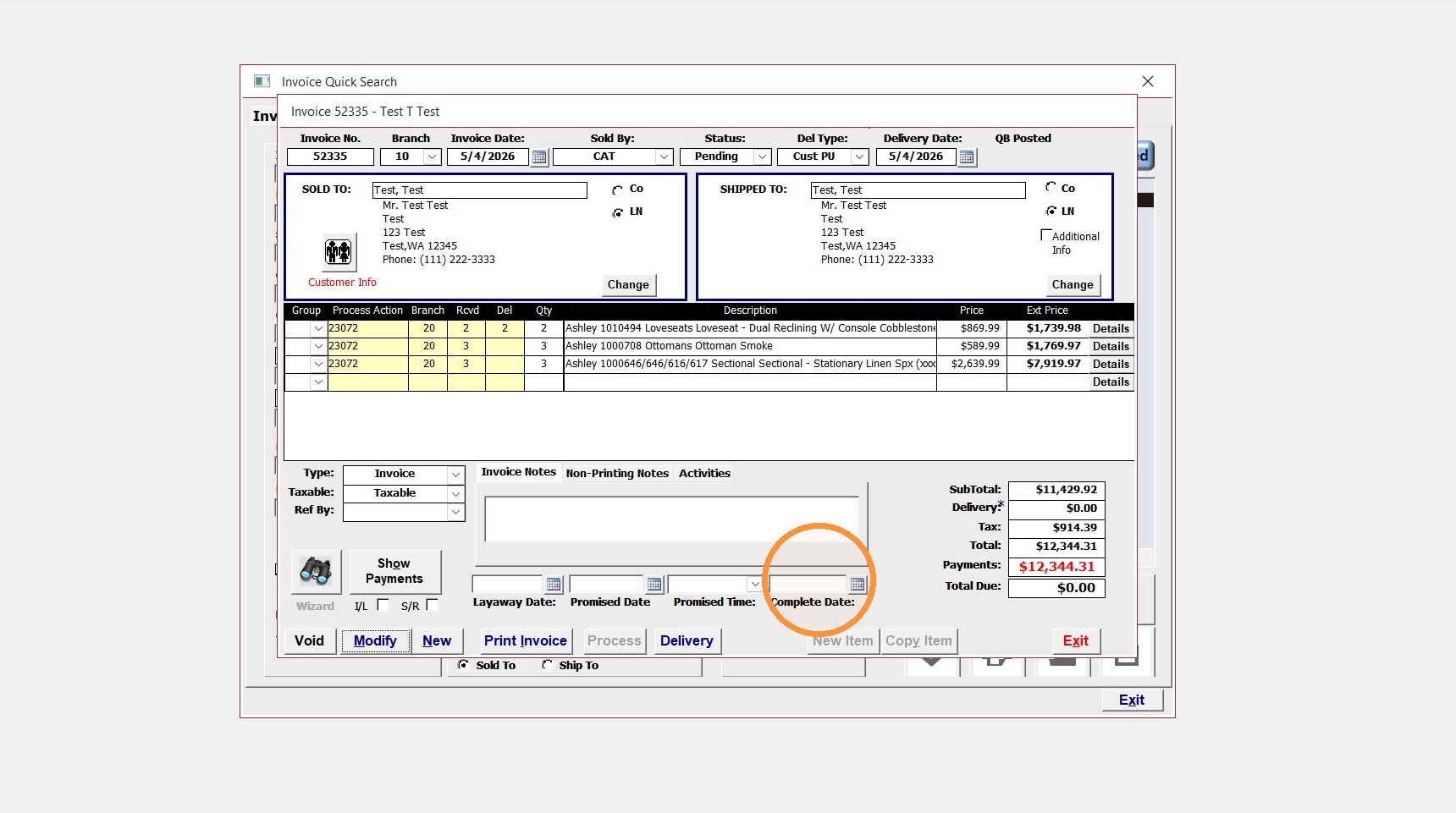
5. If you have a complete date, remove it by clicking in the box and deleting.
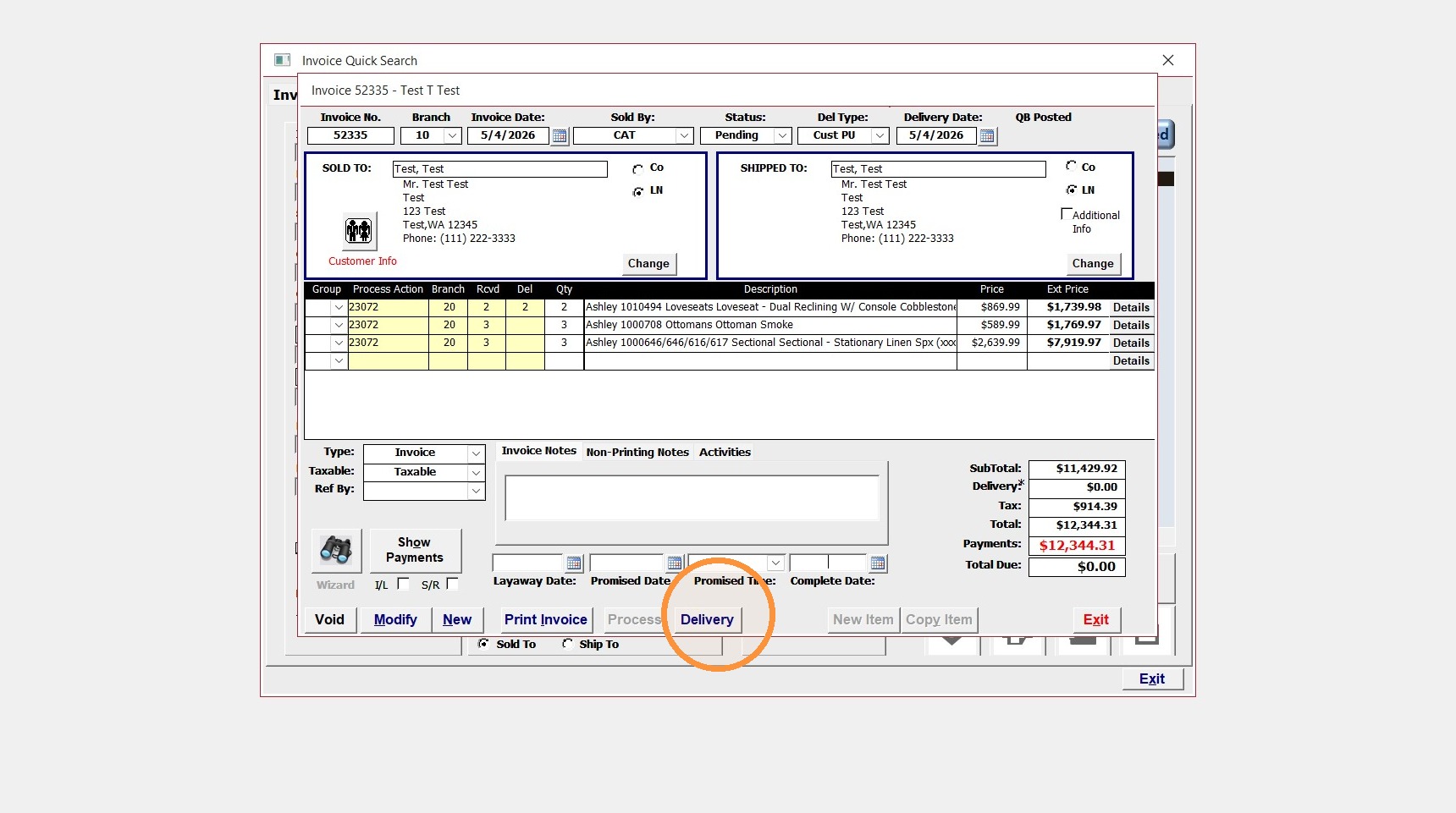
6. Click "Delivery"
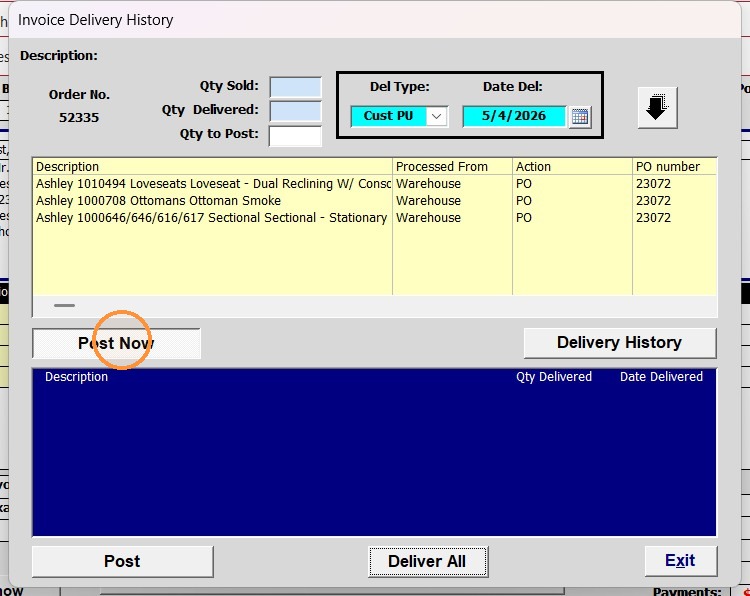
7. If not already selected, click Post Now(The box at the bottom should be blue)
8. Select the item
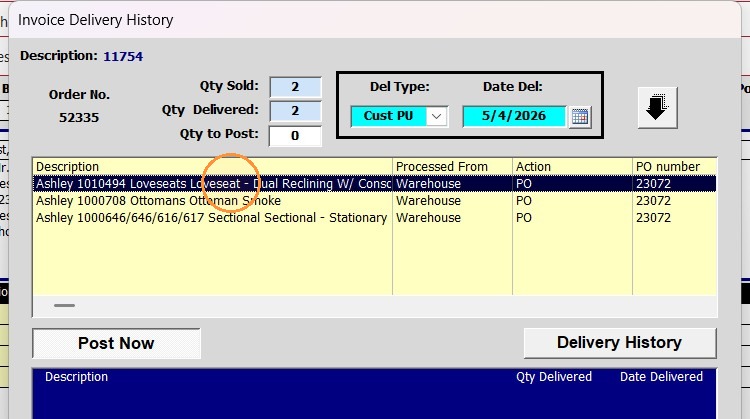
9. In the Qty to Post, enter how many need to be undelivered, then click the down arrow to the right
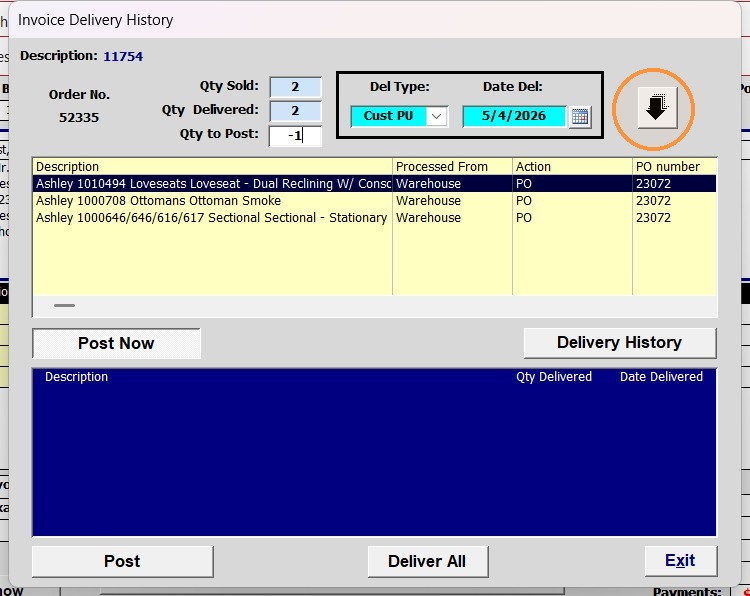
Tip: Ex: if you need to remove 2 items, enter -2
10. Click "Post"
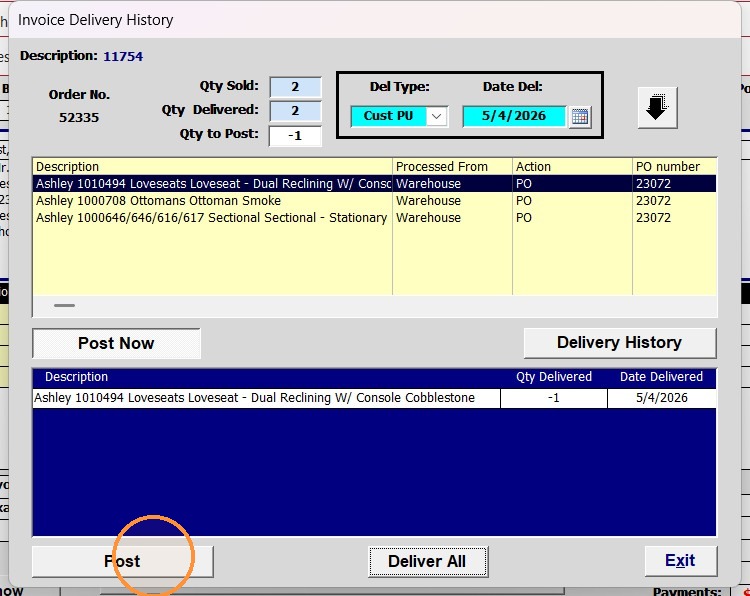
11. The delivered Qty should now be correct
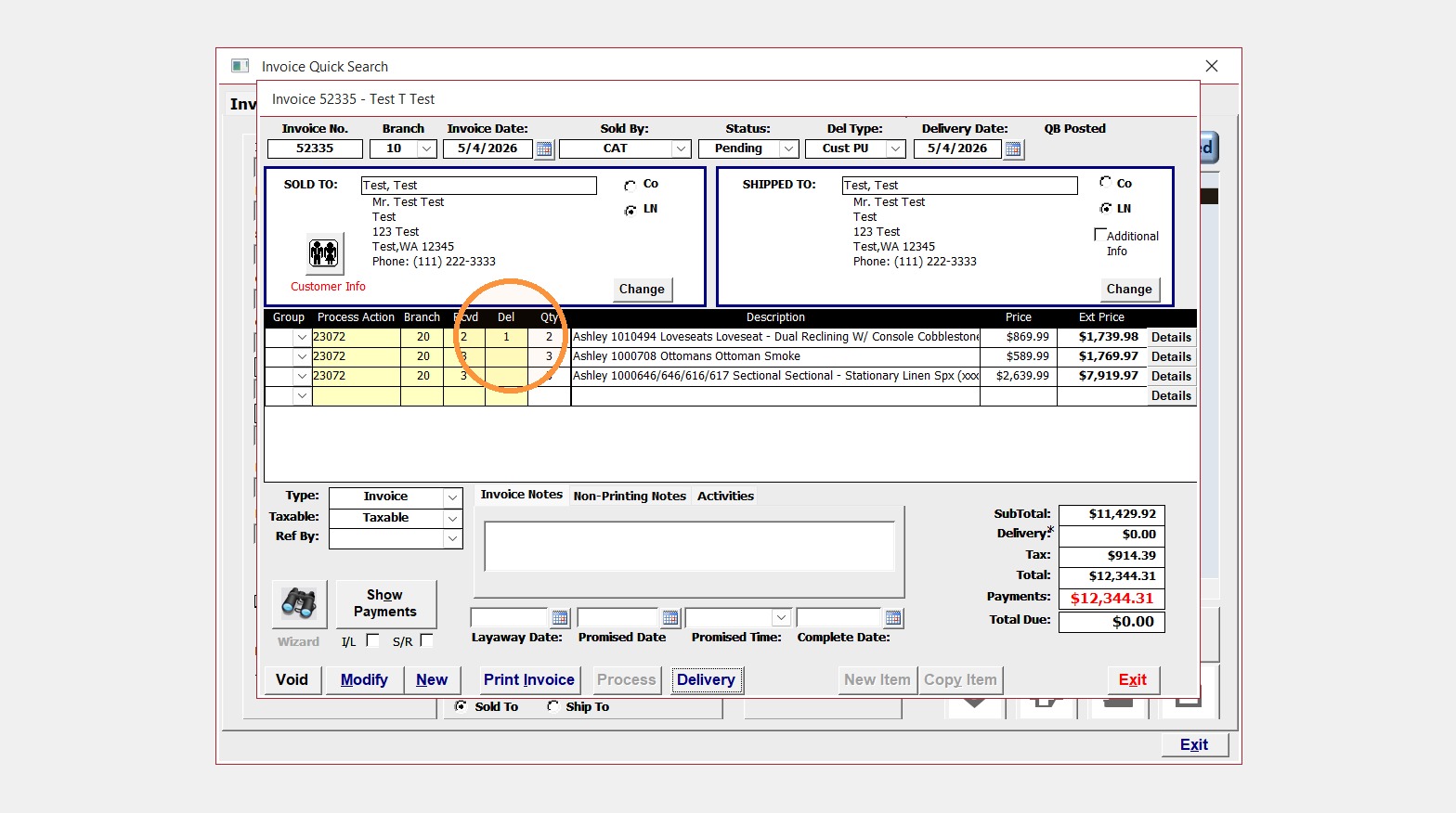
Tip: Ensure you re-add the Complete date IF that is needed again*.