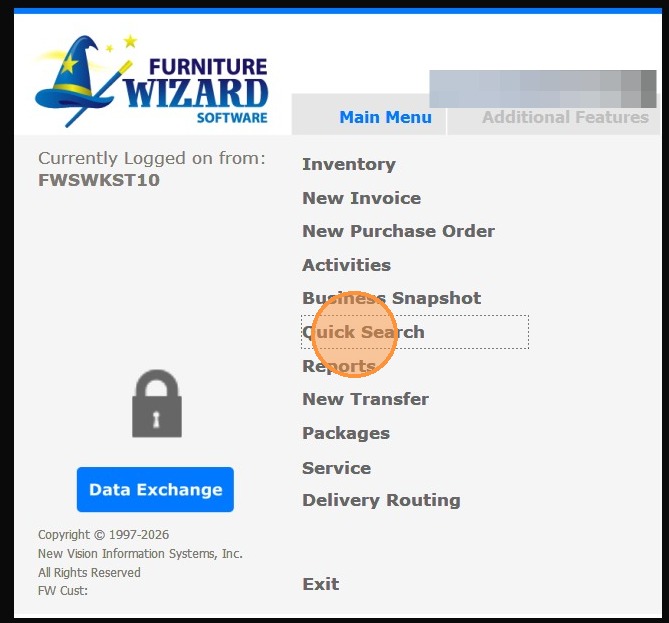
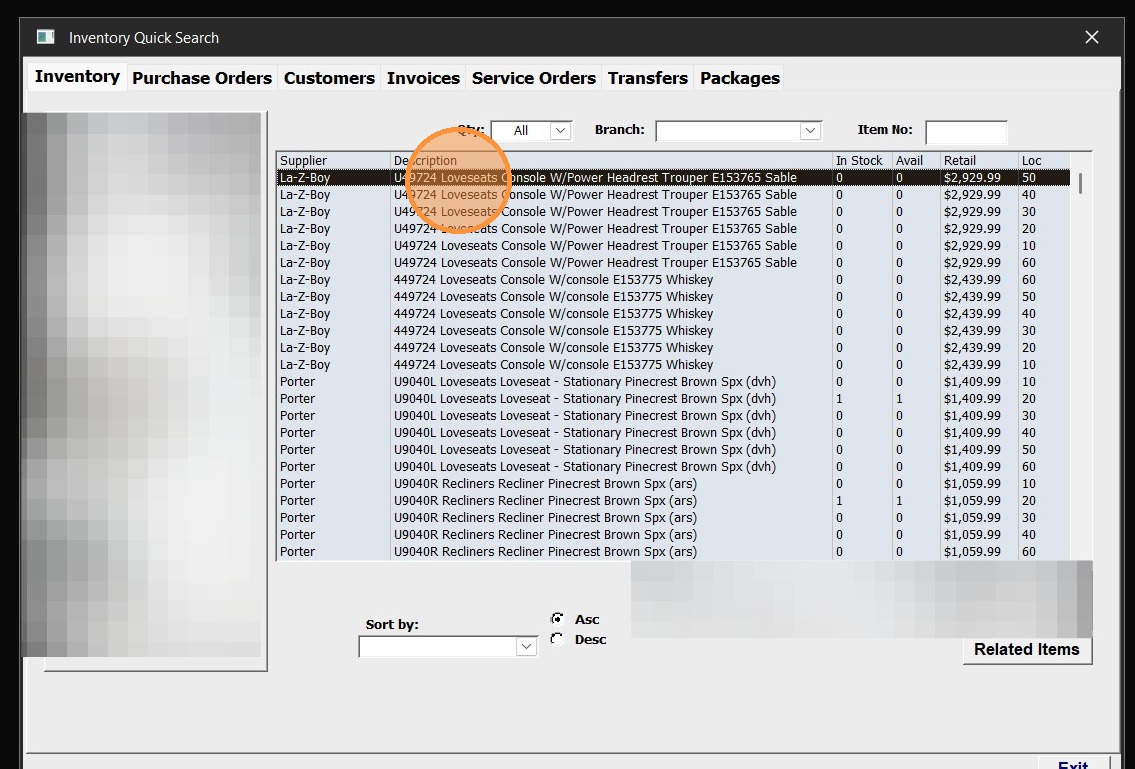
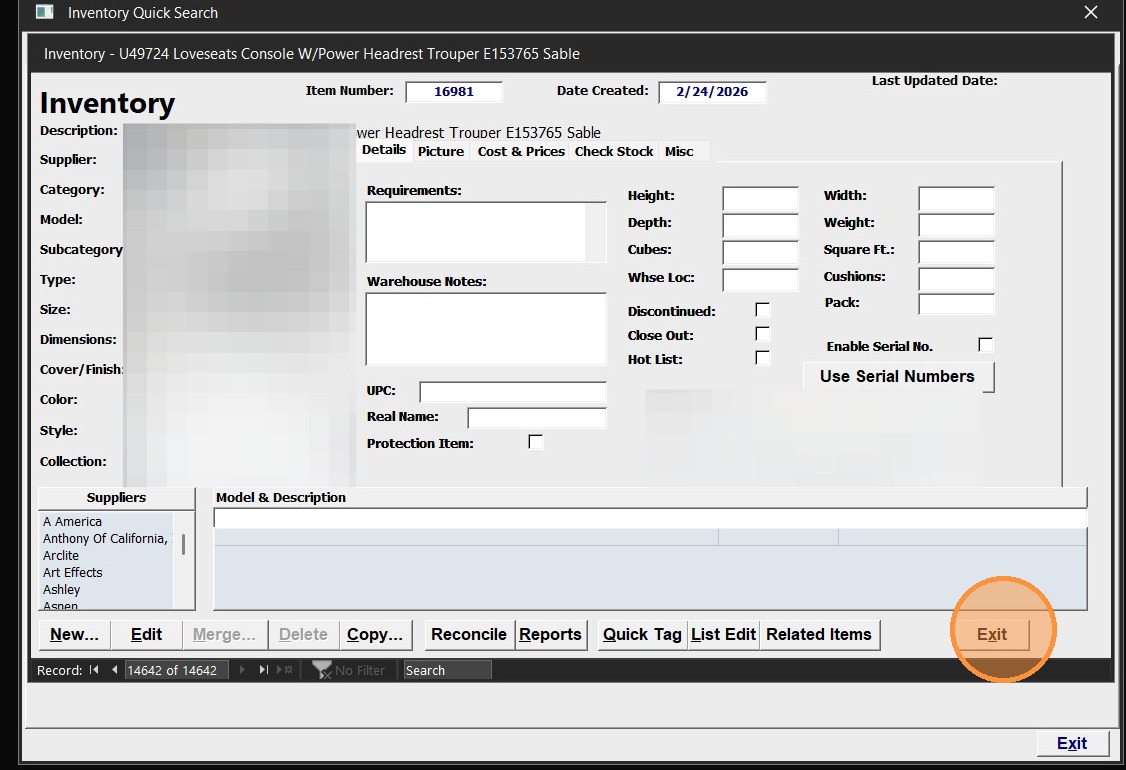
This guide provides a quick walkthrough for accessing a specific item in the inventory. 1. Click "Quick Search" from the Main Menu 2. Select an item from the inventory list by double-clicking. 3. Click "Exit" to close the item details